Constraint
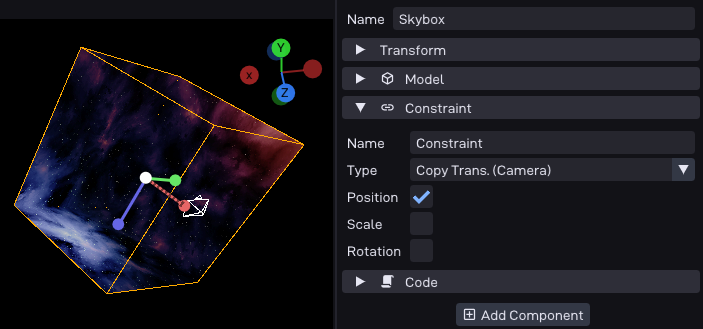
Relates the object’s transform to another object or the camera,
instead of (or in addition to) its own.
Useful for attaching, following, or billboarding objects.
Depending on the type selected, the point in time where this is applied may change.
In most cases it happens once during the update phase.
If a camera-type is selected it happens during draw,
so that a scene with multiple cameras is handled correctly.
The Copy Trans. (Camera) should therefore be used for things like sky-boxes.
Options
Option |
Description |
|---|---|
Type |
The kind of constraint: |
Ref. Object |
The object this constraint refers to (for the object-based types). |
Position / Scale / Rotation |
Which transform channels the constraint applies. Disable a channel to leave that part of the object’s own transform untouched. |
See also
P64::Comp::Constraint: the runtime component in the C++ API.