Node Graph
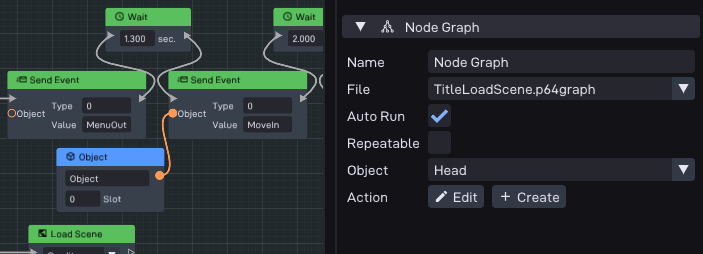
Attaches a visual node-graph script to the object, an alternative to a Code component for behavior authored as a graph instead of C++.
For the full docs on how to create and use graphs, check out the Node Graph Editor.
Options
Option |
Description |
|---|---|
File |
The node-graph asset to run. Use Edit to open it in the graph editor, or Create to make a new graph (you’ll be prompted for a name). |
Auto Run |
When enabled, the graph starts automatically when the object spawns. |
Variables |
Each variable the graph declares appears here as an editor for its per-object starting value (an object picker for Object-typed variables, number or vector fields for the rest). The list updates whenever you change the selected graph. |
See also
Node Graph: using the node-graph editor.
Custom Graph Nodes: defining your own nodes.
P64::Comp::NodeGraph: the runtime component in the C++ API.