Model (Static)
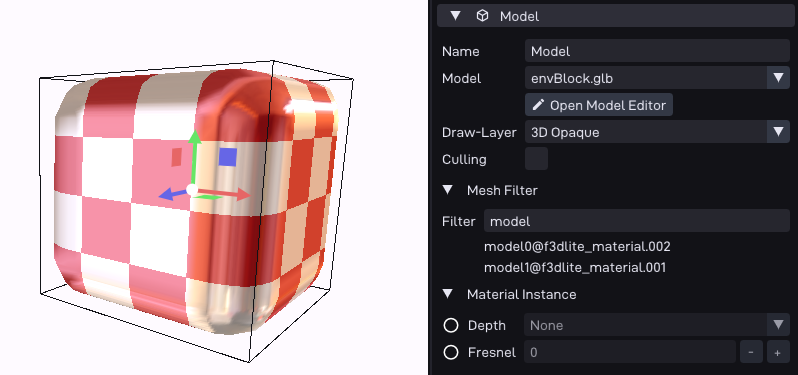
Renders a static (non-animated) 3D model attached to the object.
This is the most common way to give an object a visible mesh.
Options
Option |
Description |
|---|---|
Model |
The 3D model asset to render. |
Open Model Editor |
Opens the model editor for the selected asset. |
Draw-Layer |
Which 3D draw layer the model is rendered on. Layers are defined in the scene settings and control draw order and per-layer render settings. |
Culling |
When enabled, the object is skipped while outside the camera view. Requires the model asset to have its BVH built; a warning is shown if it is not. |
Mesh Filter |
Expression to include or exclude individual sub-meshes of the model (by name/material). The meshes that currently match are listed below the field. |
Material Instance |
Per-object material overrides (colors, textures, blend settings) for this model. Only values not already fixed by the material appear. See Material Instance. |
See also
Material Instance: the embedded material sub-UI.
P64::Comp::Model: the runtime component in the C++ API.